
Sound, in motion.
OtoMotion turns a line input into numbers 60 times a second and sends them to XPression through DataLinq. Loudness meters, audio-reactive graphics and beat-synced motion, built the way you already build scenes.
- 60/secUpdates sent to XPression
- 8groupsStereo, each with its own frequency band
- 165keysDataLinq JSON, organized in a clear hierarchy
Three ways to move with sound
Show the numbers, react to the audio, lock to the beat. Each one is just a DataLinq key to bind
Loudness meter
BS.1770-4 / EBU R128 Momentary, Short-term, Integrated, LRA and True Peak, plus the difference from your target and a True Peak over flag. For venue screens or monitoring displays.
Audio-reactive graphics
Limit a group to low, mid, high or any Hz range to pick up just the kick or the vocal. Bar values arrive as 0 to 1, so one line of script drives them.
BPM sync
Set the tempo by TAP or auto-detection. 15 keys for beat, bar, phase and flash keep blinking and spinning in time with the music.
The app's values, straight into graphics
On the left, the OtoMotion monitor. On the right, the XPression output at the same moment
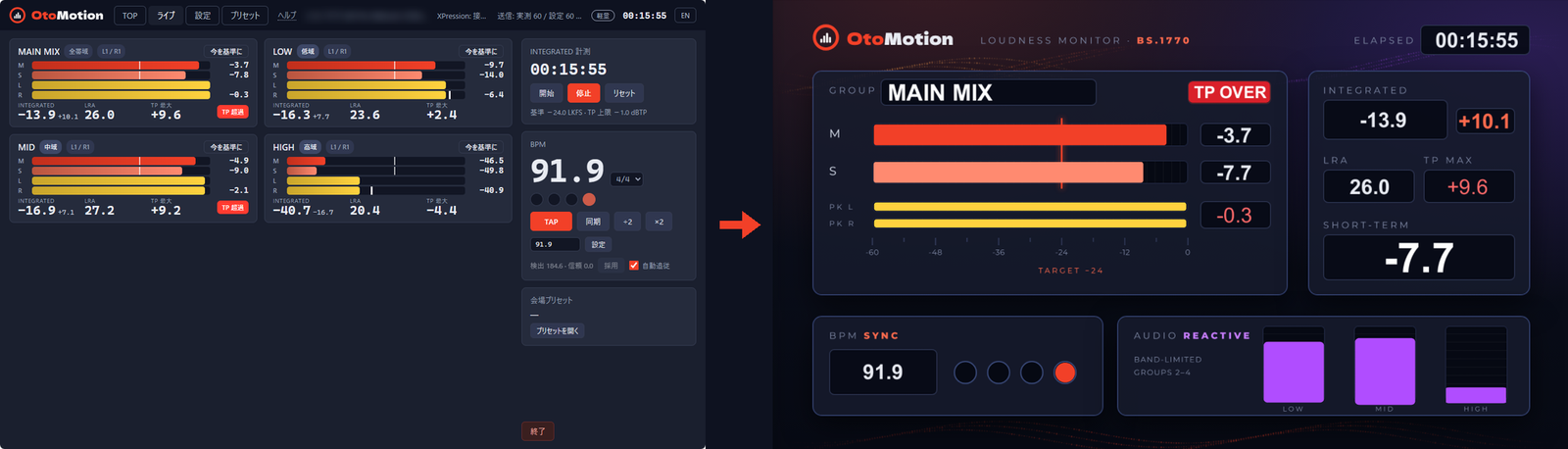
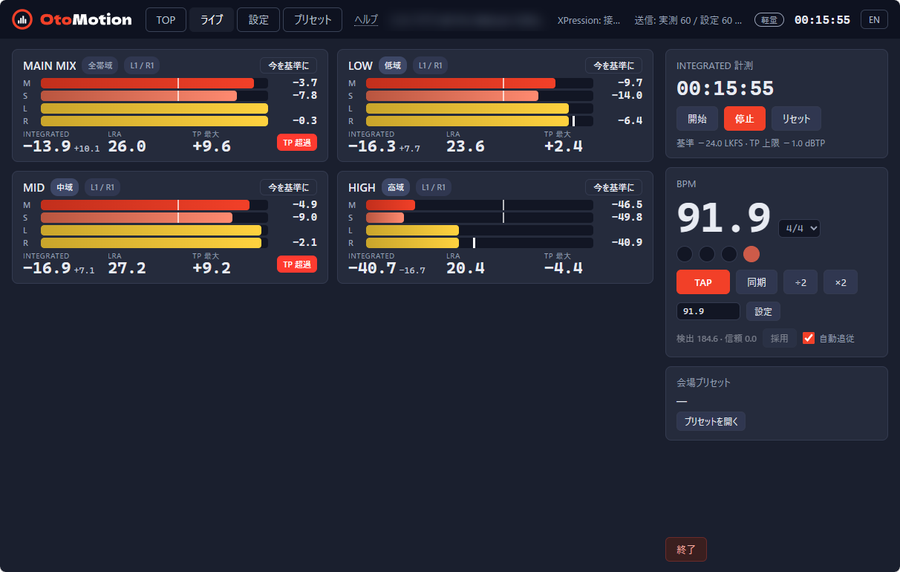
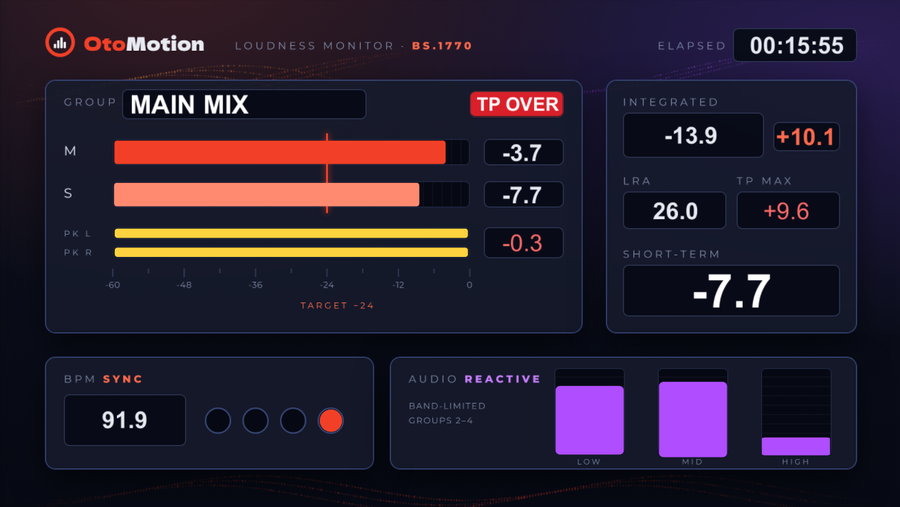
No XPression? You can still drive the same graphics with sound, right in your browser.
Try the demo in your browser →How it works
From the mixing desk to XPression, entirely inside the PC and your LAN
Line input
Mixing desk or audio interfaceBring the venue or program audio straight into the PC.
OtoMotion
Metering, bands, BPMMeasures loudness, runs band-limited groups and detects tempo, all at once.
DataLinq Server
XML/JSON TCP, port 7327Sends values 60 times a second (configurable from 10 to 60).
XPression scene
Build scenes as usualText fields just need binding. Bars take one line of script.
bar.scaleX = text / 1Bind with Column set to g1 and Row set to m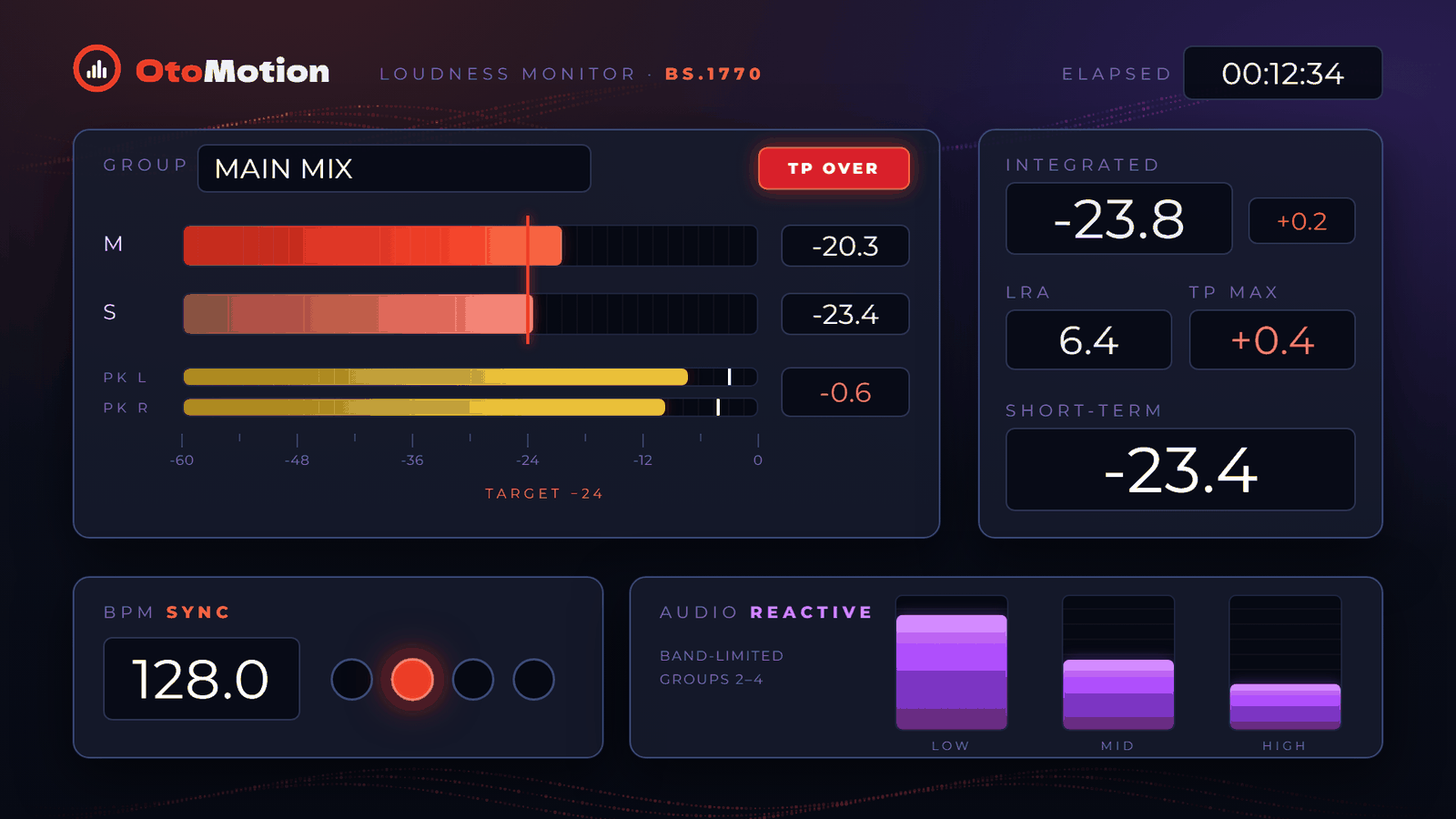
Comes with a sample scene
An XPression 12.5 package is included. Double-click to open it and you have a working scene with a loudness meter, band bars and beat lights. Background images and scripts included.
Also a handy reference when you build your own scenes.
Measurement specs
Metering built for broadcast loudness practice
| Item | Details |
|---|---|
| Standards | ITU-R BS.1770-4 / EBU R128 (conforms to the EBU Tech 3341 and 3342 test sets) |
| Target | −24 LKFS, in line with ARIB TR-B32 practice (adjustable) |
| True Peak | 4× oversampling |
| Integrated | Gating: −70 LUFS absolute, −10 LU relative |
| LRA | EBU Tech 3342 |
| Output rate | 10 to 60 updates per second (configurable) |
| Input | Windows: WASAPI / Mac: Core Audio |
Setup is one folder
No installation. Copy the folder and launch
Windows 10 / 11 and Mac (Apple silicon, macOS 14 or later). No installation: on Windows copy the folder and launch; on Mac drop in the app and launch.
Pick the device and press "Set as reference". Groups and bands are saved as venue presets.
Available as a rental. Contact us for a quote.
Comes with Japanese and English manuals and in-app help. Runs fully offline.
FAQ
Which versions of XPression does it work with?
It has been tested with XPression 12.5. It uses the XML/JSON TCP source of DataLinq Server.
Can it run on the same PC as XPression?
Yes. It can also send over the LAN from a separate PC. A lightweight mode reduces the load of its own display.
Does it work on Mac?
Yes, on Apple silicon Macs with macOS 14 or later. We have tested it from build to sending to XPression on a MacBook Pro (M1) with macOS 26.5.2. The monitor opens in Google Chrome (or your default browser if Chrome is not installed). XPression runs on Windows, so a Mac sends to the XPression PC over the LAN.
What inputs can I use?
Any line input or audio interface visible through WASAPI on Windows or Core Audio on Mac. ASIO is not supported.
How many groups can it measure?
Eight stereo groups. The same input can feed several groups, each with a different band.
Does it send audio to the internet?
No. It works entirely inside the PC and over the LAN to XPression.
Start with a conversation
Tell us about your audio chain and your XPression scenes, and we will suggest how to set things up. Demos and quotes, too.