SCREENS
See it for yourself.
The reverse-lookup Cookbook, Script Reference, and Study App — real screens from the product.
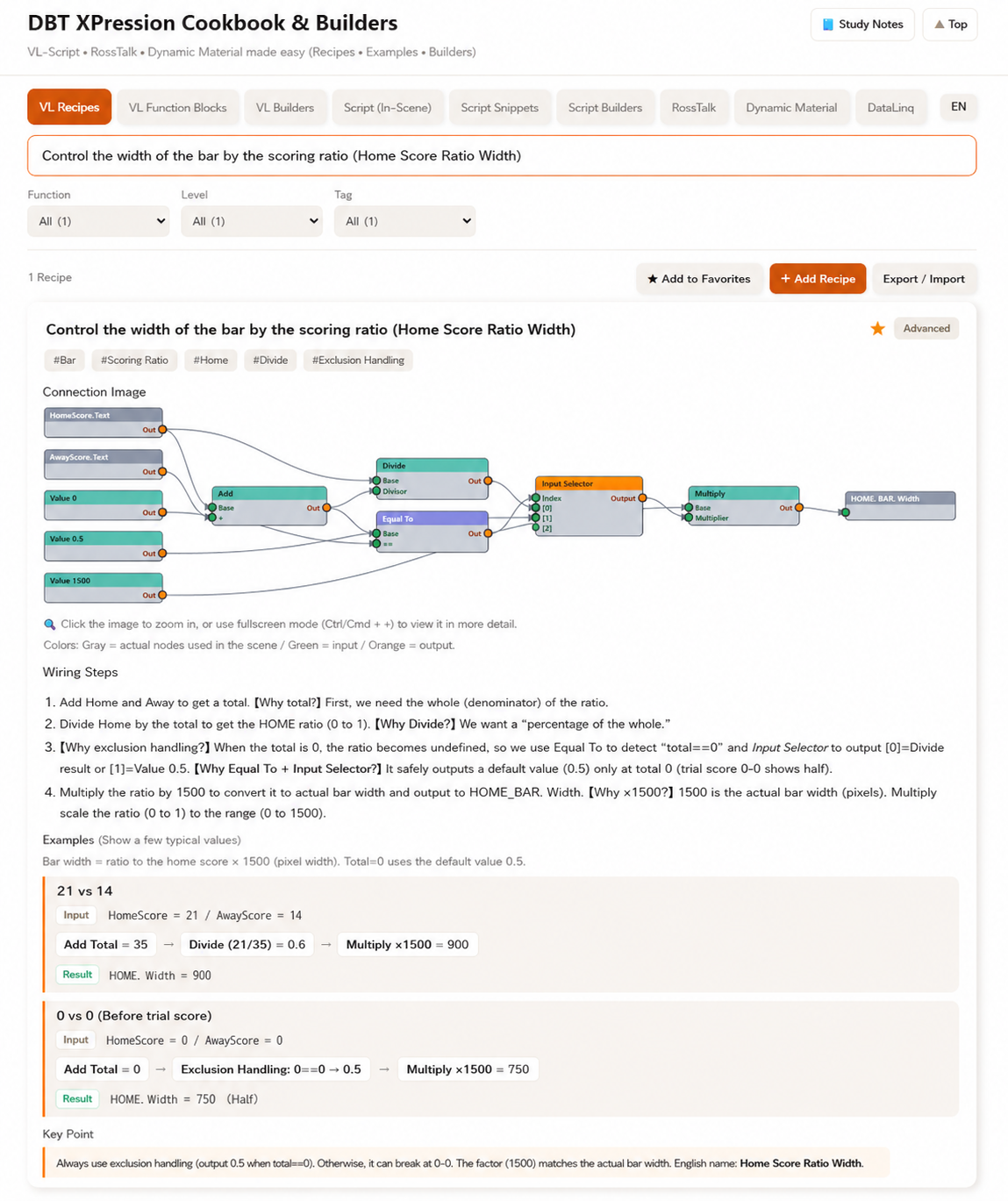
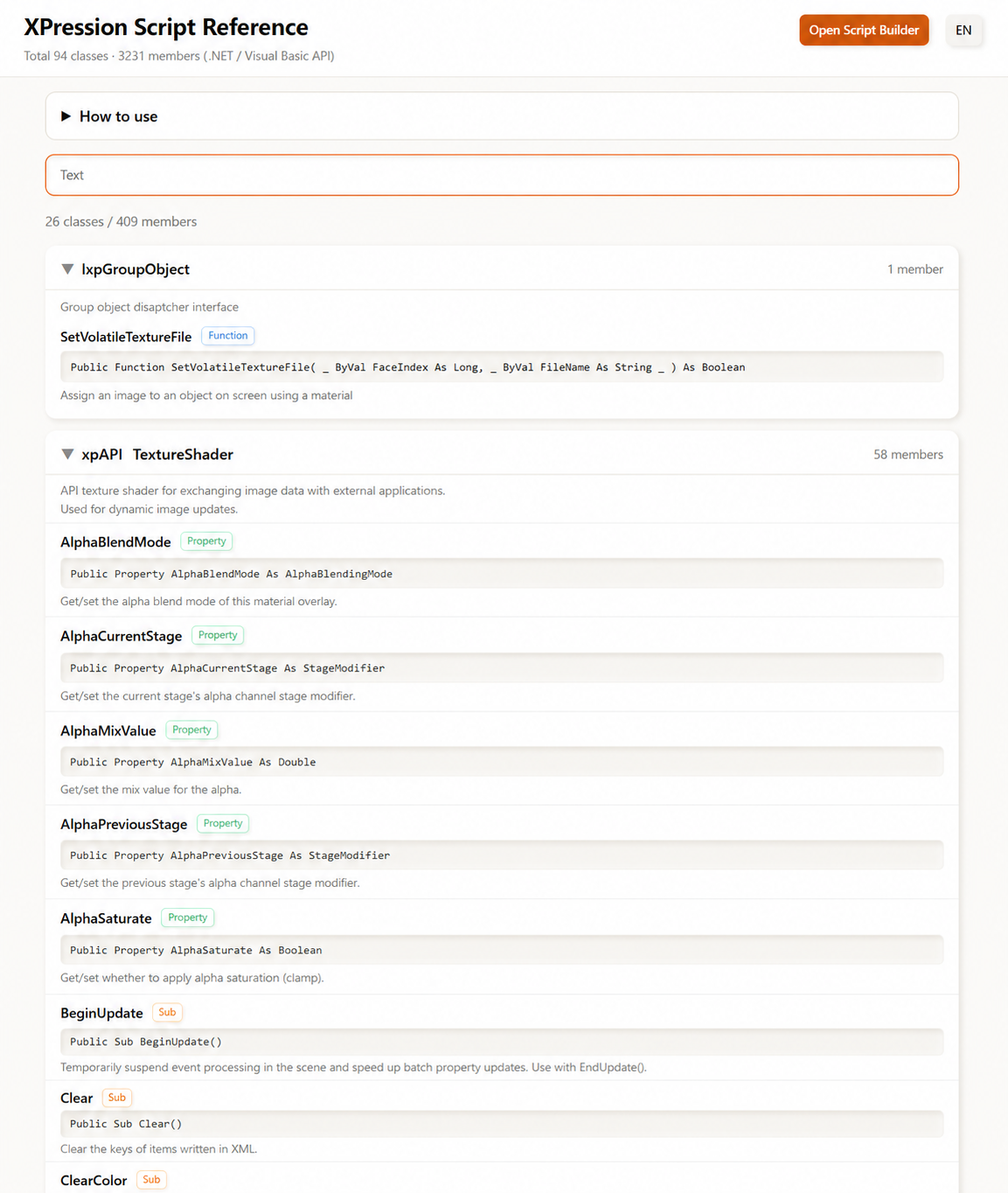
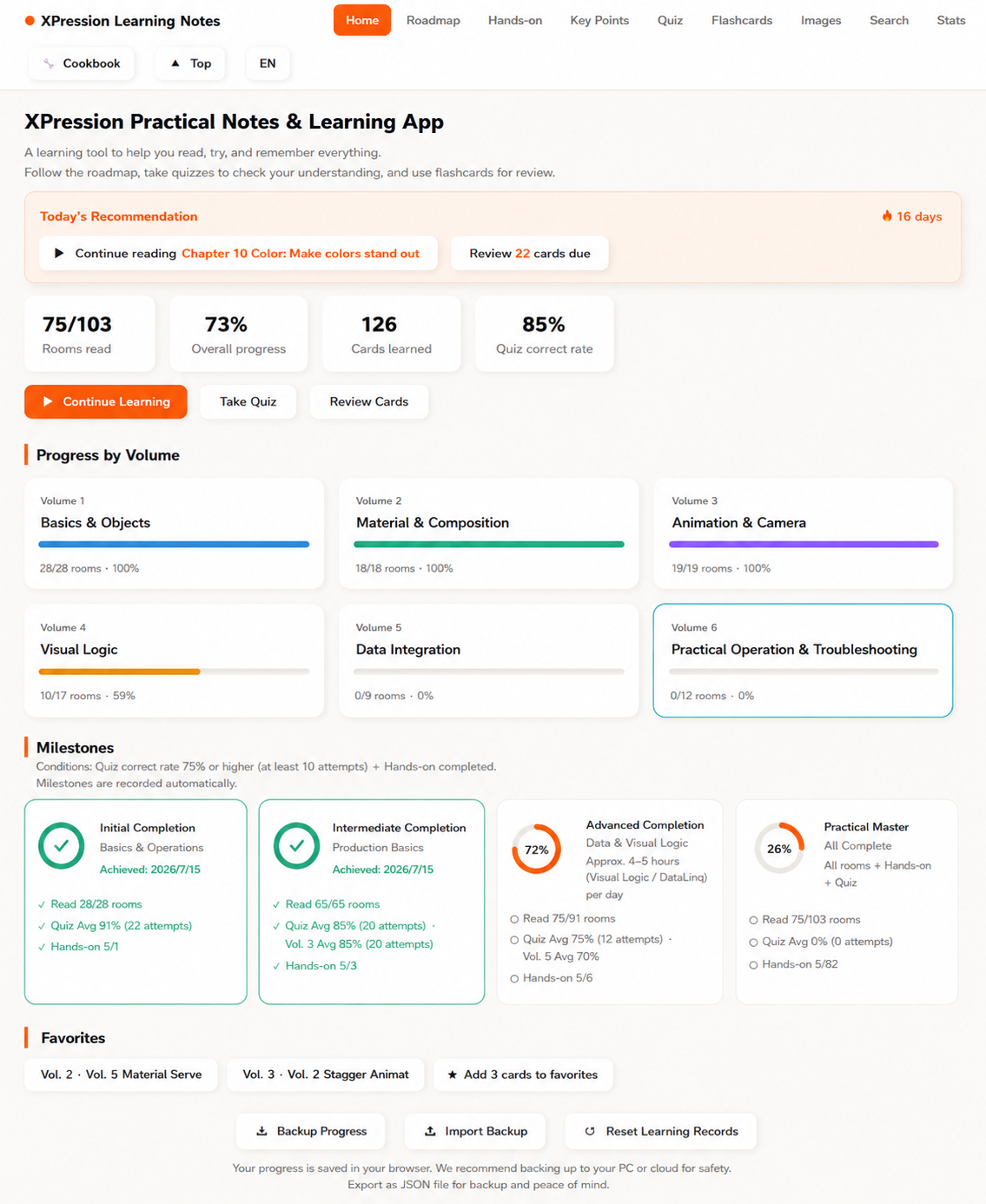
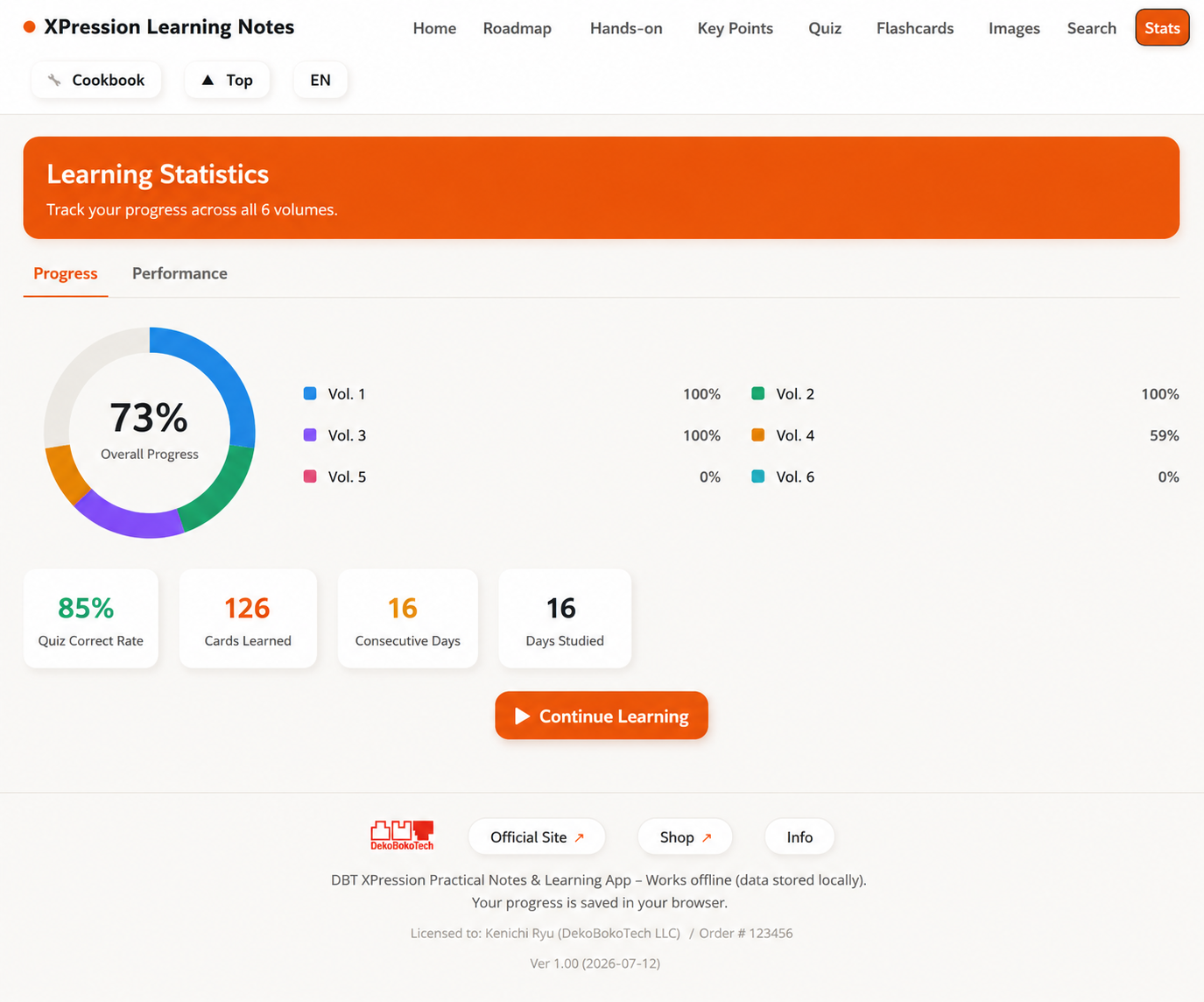
* Screens are from a build in progress and may differ from the final product.
Standardize onboarding, hand-offs, on-air prep, and Visual Logic / Script lookups across your whole team — with one practical field reference. Perpetual licences: when people move on, you reassign the seat and the knowledge stays with the organisation.
An independent product built and hardware-verified by DekoBokoTech LLC. Not affiliated with, endorsed by, or certified by Ross Video. XPression is a trademark of Ross Video Ltd.
XPression is easy to silo. Questions pile up on one veteran, and the moment they're unavailable, the show is exposed. It's a hidden cost most teams are already paying.
Template builds and Visual Logic live in one operator's memory. A transfer, a resignation, or a busy week and the team is suddenly fragile.
Every new hire drains veteran hoursScript and DataLinq details fade. There's no time to re-research right before broadcast, and a single wrong setting goes to air.
One on-air mistake outcosts this investmentEvery template change or new look goes to freelancers or an outside house. Nothing stays in-house; cost and turnaround depend on someone else.
Until you bring it in-house, the bill repeats"Read → try → memorize → look up," in a form the whole team can share. Not just courseware — a working reference your operators reach for every day.
From fundamentals to Visual Logic, data integration and on-air operation — a hardware-verified curriculum. Roadmap, quizzes and flashcards bring new hires to a consistent level and cut the veteran hours spent on OJT.
"Switch display by value," "turn red at 5 seconds left" — search by what you want to do and get wiring diagrams, steps and pitfalls. Every recipe verified on real hardware. A field dictionary you check in seconds before air.
All 94 .NET API classes, with every member explained — what it actually does — in EN and JA. The reference your team needs to bring scripting and automation in-house. Covers in-scene Script and external control.
The reverse-lookup Cookbook, Script Reference, and Study App — real screens from the product.
* Screens are from a build in progress and may differ from the final product.
Standardize onboarding and hand-offs. Keep on-air know-how in the organisation, not in one person's notes.
Get seasonal and part-time operators up to speed fast, and confirm setups before the show — even on closed, on-venue PCs.
A ready-made, bilingual reference and curriculum for broadcast-graphics courses. Site licensing covers whole labs and cohorts.
The Study App, the Cookbook and the Script Reference all run in the browser. Nothing to install, and no separate build to maintain per OS. From the on-air PC in the gallery to the Mac at an edit bay to a phone on the move, the whole team reaches the same source of truth.
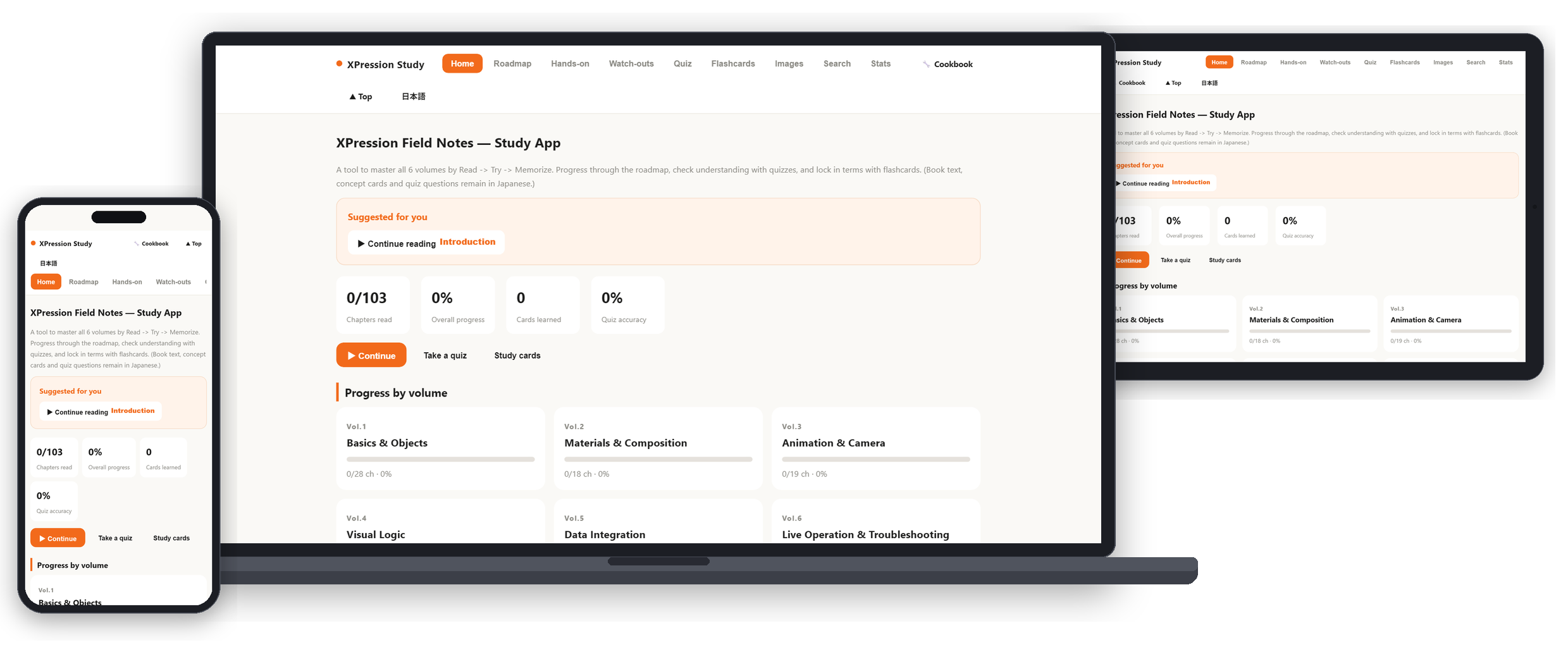
On-air PCs, edit bays, tablets, phones. The layout adapts to the screen — what everyone opens is identical.
Windows and macOS, plus iPad, Android and Chromebook in the browser. A mixed Windows/Mac facility still needs only one deliverable.
No installer, and no changes to the machine. Nothing to roll out and nothing to configure per device. The Web Edition can also be added to a desktop or home screen straight from the browser (PWA).
Broadcast reality is "not connected." Cloud-only courseware can't open on the machine that matters. Corporate licences ship with a dongle, so they start with no network connection at all. For closed environments we also deliver on USB media, ready to sit permanently on a closed on-air PC. And there's no second device to reach for — it opens on the same screen as XPression itself, so you can build as you read.
Reassign seats freely when people change roles. Because it's a one-time purchase, it stays an asset on your side. A 5-seat pack costs less than five individual Pro licences.
| Plan | Scope | Price (USD, excl. tax) | Per seat | Discount |
|---|---|---|---|---|
| Pro (individual · ref. / Online) | 1 seat | $399 | $399 | — |
| Pro 5-seat pack | 5 seats | $1,799 | $360 | 10% off |
| Pro 10-seat pack | 10 seats | $3,399 | $340 | 15% off |
| Pro 20-seat pack | 20 seats | $6,199 | $310 | 22% off |
| Site licence | Unlimited seats | $8,499 | flat | facility-wide |
・Prices in USD, excluding tax. Purchase orders and invoicing are available for qualifying organisations.
・The maintenance plan is about 26%/yr of the licence (optional): new content, expansion packs, standard support, and managed updates/reassignment across all seats (priority SLA and onboarding training are sold separately). Even without it, the last version you received keeps working.
・Pro is a one-time $399 purchase (the "individual · ref." row above is Pro). Startup uses a connection to verify the licence, but one connection every 7 days is enough — in between it runs offline.
・The site licence isn't listed in the online shop — we'll quote it directly.
・Corporate licences ship with a dongle and start with no network connection at all (Windows only). USB-media delivery is available for closed environments. Online use works on any OS.
・Full English/Japanese content for international offices and multilingual crews.
A 15-minute online demo, or a sample chapter and comparison sheet. You can also explore the free trial first.
We quote by seat count or site licence — with PO and invoicing for qualifying organisations. USB-media delivery for closed environments can also be arranged at this stage.
Purchase, with security review and delivery format arranged for closed environments as needed.
Distribute to your operators. Onboarding sessions available on request.
Kenichi Ryu — Founder & Technical Designer, DekoBokoTech LLC
Since 2023 he has designed, built, and operated real-time graphics with Ross XPression: arena and stadium shows for pro sports, score systems, player intros, and content for large LED and ribbon displays. For a new arena's opening, he worked from equipment selection through system design, template building, and live operation. He works hands-on with Visual Logic, Script, and DataLinq for display control and external data integration — across template creation, on-air operation, and troubleshooting.
Every recipe in this product was authored and verified on real hardware: Ross XPression v11.7 build 5874. He also publishes XPression technical notes regularly (in Japanese).
Author / Supervisor: Kenichi Ryu · Produced by DekoBokoTech LLC · Distributed by DBT Partners Studio
Everything you need for a pre-purchase check. If your security or IT team needs documentation for review, just ask — we'll prepare it for you.
| Recommended browsers | Microsoft Edge / Google Chrome (latest versions) |
|---|---|
| Operating systems | Online use: any OS with a browser (Windows / macOS / iPadOS / Android / ChromeOS) Fully offline startup: Windows only |
| Installation | None. It runs by opening it in a browser and makes no changes to the machine. Optionally add it to a desktop or home screen as a PWA |
| Offline use | Corporate licences (licence packs, site licence): ship with a dongle — fully offline startup, no network connection at all (Windows only; about two weeks for the dongle to arrive) Individual Pro and Web Edition: one licence check every 7 days; offline in between |
| Closed networks | USB-media delivery at no extra charge |
| XPression itself | Not required to read, look up or memorize. Required for the hands-on labs |
* What is Windows-only: fully offline startup, and the helper tools bundled with Pro (the app-mode launcher and the desktop-icon tool). On a Mac, open index.html in your browser and everything works the same way.
No. This is an independent learning and reference product built and verified by DekoBokoTech LLC. It is not affiliated with, endorsed by, or certified by Ross Video. XPression is a trademark of Ross Video Ltd.
The official material is great for learning the basics. This product is the practical reference for what comes next — field implementation, reverse lookup, Script / Visual Logic / DataLinq, and on-air operation. It complements official material rather than replacing it.
Yes. Choose team packs (5 / 10 / 20 seats, perpetual) or a site licence (unlimited seats). All quoted individually.
Yes — every corporate licence ships with a dongle, so it starts with no network connection at all (Windows only). To leave it permanently on a production PC, USB-media delivery is available at no extra charge. Security reviews for closed environments are available.
Yes, for qualifying organisations. We issue quotes in USD (excl. tax) and support PO / invoicing.
Everything is perpetual and seats are reassignable, so the licence stays with your organisation through transfers and departures.
Purchases include 12 months of maintenance. After that, an optional maintenance plan (about 26%/yr) continues it — covering new content, expansion packs, standard support, and managed updates/reassignment across all seats (priority SLA and training are sold separately). Even without it, the last version you received keeps working.
Yes. Study App, Cookbook and Script Reference are fully bilingual (EN / JA) with a language toggle.
Yes. Licence packs, the site licence and the Web Edition all run in any common browser on Windows and macOS (Edge or Chrome recommended), and equally on iPad, Android and Chromebook. The only Windows-only pieces are fully offline startup (corporate licences) and the helper tools bundled with Pro.
Reading, memorizing and lookup work in the browser/app alone. The hands-on labs require XPression itself.
Start with a 15-minute demo, or a sample and brochure. We'll walk through use in live production and delivery for closed environments.
Looking for individual use? See the individual page & free trial.